> ## Documentation Index
> Fetch the complete documentation index at: https://manifest.build/llm-gateway/docs/llms.txt
> Use this file to discover all available pages before exploring further.
# Request logs
> Inspect the request received from your client and the body and response for each provider attempt.
The [Requests page](/llm-gateway/docs/llm-gateway/docs/observability) tells you what a request cost and which model served it. Request logs tell you what was actually said: the body the gateway sent to the provider, and the body that came back. The dashboard calls this feature **Logs**.
It's one toggle per harness.
## What gets recorded
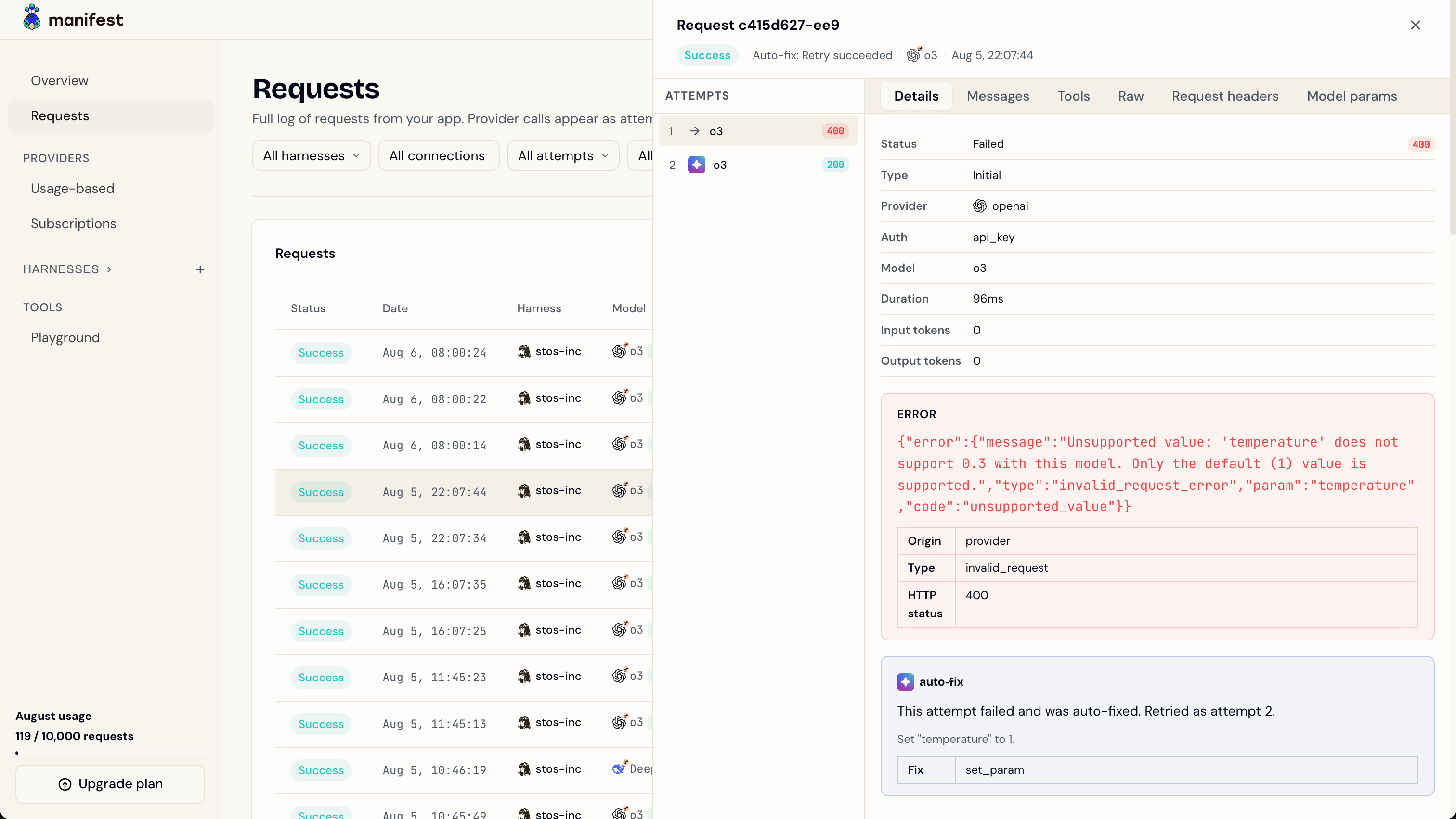
Recording happens per **provider attempt**, not per request. A request that falls back twice before succeeding produces three recordings, each with its own body pair, so you can see how the conversation was reshaped for each provider. An [Autofix](/llm-gateway/docs/llm-gateway/docs/autofix) retry is its own attempt too, which is how you compare the request that failed against the patched one that worked.
| | What's stored |
| --------------- | ------------------------------------------------------------------------------------------------------------------------------------------ |
| **Request** | The body the gateway forwarded to the provider, after routing rewrote the model and translated the protocol. Not the body your client sent |
| **Response** | The parsed JSON body, or for a streamed attempt, the raw SSE stream as it arrived |
| **Wire format** | Which protocol the exchange used, so the drawer can render it correctly |
A request blocked by the gateway, on a [hard limit](/llm-gateway/docs/llm-gateway/docs/llm-gateway#hard-limits) or a malformed body, still lists one attempt, labelled with the model you asked for or **No provider**. It carries the failure status and no **Messages**, **Tools**, or **Raw** tab: the gateway sent nothing to a provider, so there is nothing to read back.
## Reading it back
Open a request in the dashboard's **Requests** page and pick an attempt in the **Attempts** list. The initial call, each fallback, and an [Autofix](/llm-gateway/docs/llm-gateway/docs/autofix) retry are separate attempts, and each one shows its own conversation. The **Messages**, **Tools**, and **Raw** tabs appear when that attempt has a recording.
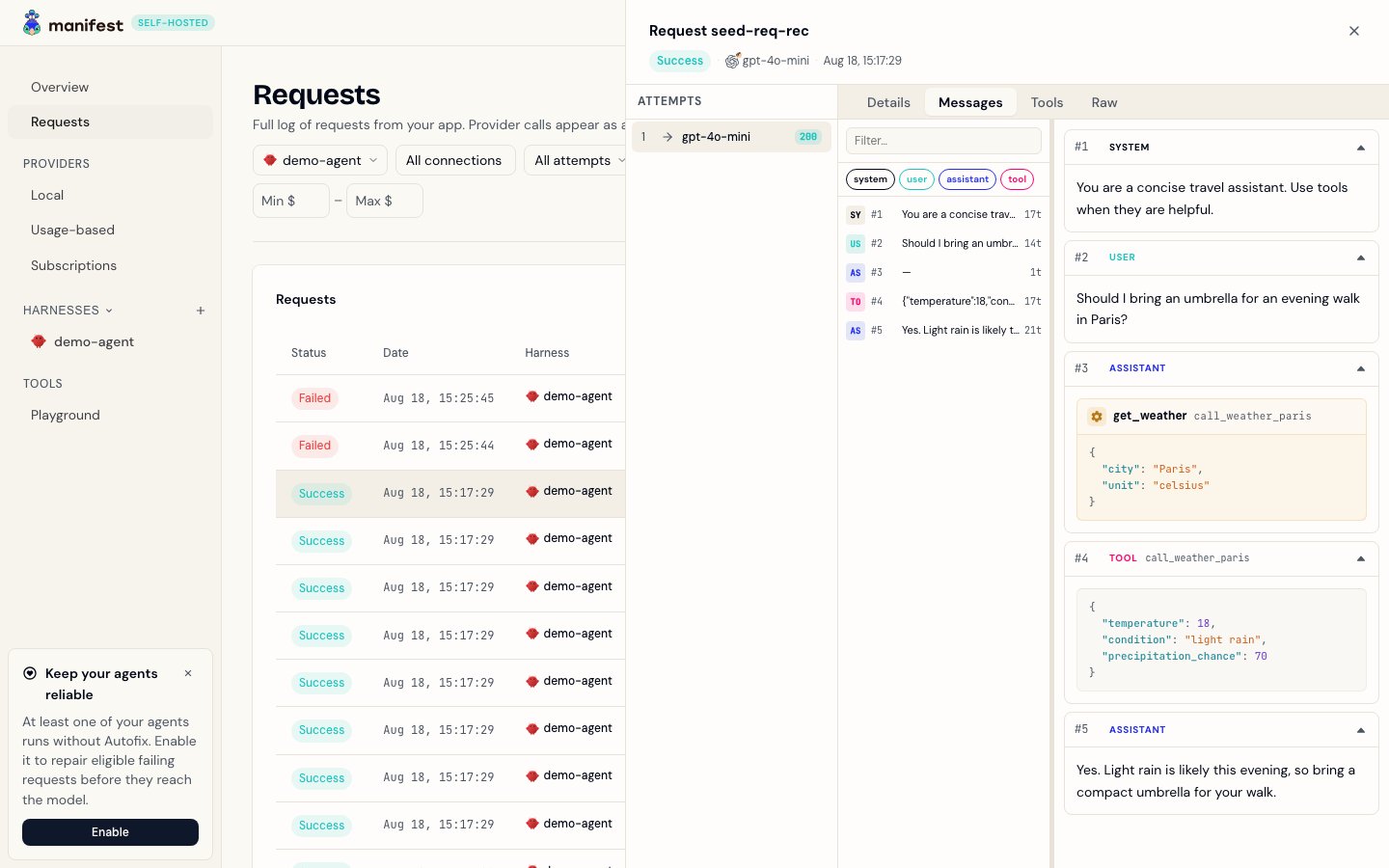
The **Messages** tab renders the exchange as a conversation, with a rail down the side listing every turn. Search the rail or filter it by role, and click any row to jump to that turn in the main pane. Assistant turns show the tool calls the model actually made, not the tool definitions your client offered it.
## Turning it on
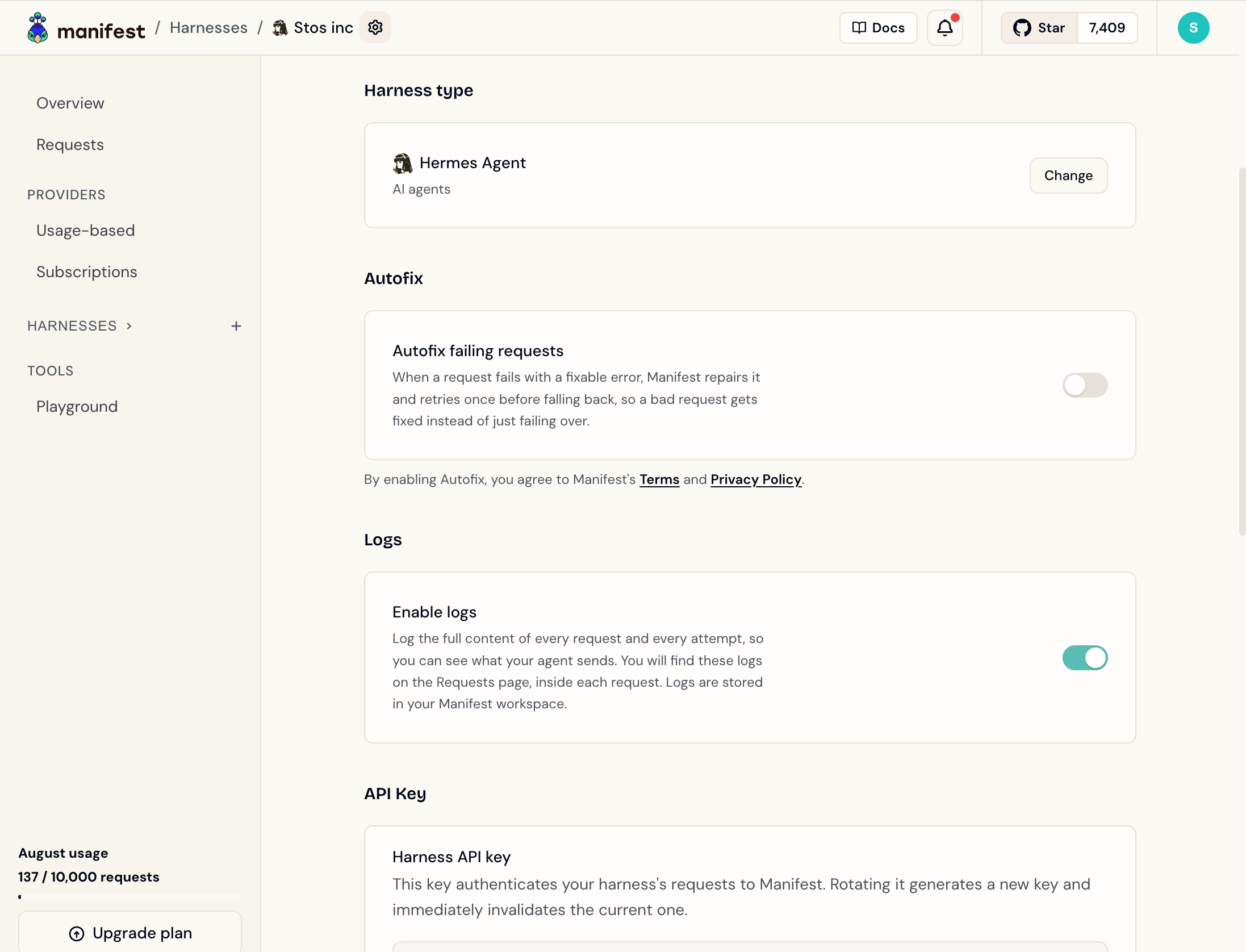
The switch is **Enable logs**, in the **Logs** section of each harness's **Settings** page.
New harnesses have it on. To make sure a harness records its logs, check **Settings → Logs**.
Recording stores your prompts and completions. Everything else the gateway keeps
is metadata ([Data and telemetry](/llm-gateway/docs/llm-gateway/docs/reference/telemetry) covers the
distinction). If a harness handles data you'd rather the gateway never hold onto,
leave recording off for that harness.
## Retention
Recordings are deleted on a schedule. The metadata row in the request log stays; only the stored body pair goes away.
| Deployment | Retention |
| ----------- | --------- |
| Cloud Free | 7 days |
| Cloud Pro | 365 days |
| Self-hosted | 365 days |
Cloud Pro keeps 365 days only while the subscription is active or in a trial. A canceled workspace, or one whose payment failed, drops to 7 days, and the nightly cleanup applies that on its next run, deleting everything older than 7 days.
Self-hosted installs can override this with `REQUEST_RECORDING_RETENTION_DAYS`. Setting it also overrides the per-plan split, so every recording on the instance expires on the same schedule.
## Self-hosted storage
Logs were reintroduced in **v6.18.0**. On an older self-hosted install,
[upgrade the gateway](/llm-gateway/docs/llm-gateway/docs/self-hosted#upgrading) first.
Recordings don't live in Postgres. They're gzipped and written to object storage, which you pick per instance.
The bundled compose file mounts a named volume `manifest_request_recordings`
at `/data/request-recordings` and points the gateway at it. Nothing to
configure when your compose file includes that volume; an install from
before v6.18.0 needs [one upgrade step](/llm-gateway/docs/llm-gateway/docs/self-hosted#upgrading) first. The
volume survives `docker compose down` the same way the Postgres volume
does.
Set a bucket and region, and the gateway writes there instead. Required for
multi-replica deploys, since replicas can't share a local disk, and for any
platform without a persistent volume.
```bash theme={"theme":{"light":"github-light","dark":"github-dark"}}
REQUEST_RECORDING_S3_BUCKET=manifest-recordings
REQUEST_RECORDING_S3_REGION=auto
REQUEST_RECORDING_S3_ENDPOINT=https://.r2.cloudflarestorage.com
REQUEST_RECORDING_S3_ACCESS_KEY_ID=...
REQUEST_RECORDING_S3_SECRET_ACCESS_KEY=...
```
Credentials are optional if the instance already has them from its
environment (an IAM role, for example). Provide both or neither.
`REQUEST_RECORDING_STORAGE` defaults to `auto`, which picks the backend by what you've configured: any S3 setting present means S3, otherwise the mounted filesystem path. Set it to `s3`, `filesystem`, or `disabled` to decide explicitly.
Under `auto`, setting *some* S3 variables commits the gateway to S3. A bucket
without a region, or one access-key half without the other, leaves recording
with no working backend instead of falling back to local disk. Configure it
fully or not at all.
Full variable list: [Environment variables](/llm-gateway/docs/llm-gateway/docs/reference/environment-variables#request-recordings).
### Check it's working
A storage problem never stops traffic, and the dashboard never mentions it. Flipping **Enable logs** on still confirms the change, and attempts come back without **Messages**, **Tools**, or **Raw** tabs, exactly as if logs were off. The server output is the only place the problem shows.
```bash theme={"theme":{"light":"github-light","dark":"github-dark"}}
docker compose logs manifest | grep "Request recording storage"
```
A line reading `Request recording storage unavailable: ` means the gateway is storing nothing, and the reason names what to fix. No such line means the backend resolved.
### Platforms without a persistent disk
The one-click templates set this up for you. Render mounts a persistent disk. Railway, Fly, AWS, and Google Cloud provision object storage during deploy. Heroku, Koyeb, and DigitalOcean collect your bucket and keys as part of template setup. On any other platform with an ephemeral filesystem, point recording at S3-compatible storage yourself, or recordings only survive until the next deploy.
## Related
* [Observability](/llm-gateway/docs/llm-gateway/docs/observability) — the request log these recordings hang off
* [Autofix](/llm-gateway/docs/llm-gateway/docs/autofix) — comparing a failed request against its patched retry
* [Data and telemetry](/llm-gateway/docs/llm-gateway/docs/reference/telemetry) — what the gateway stores by default
* [Environment variables](/llm-gateway/docs/llm-gateway/docs/reference/environment-variables#request-recordings)
 The **Messages** tab renders the exchange as a conversation, with a rail down the side listing every turn. Search the rail or filter it by role, and click any row to jump to that turn in the main pane. Assistant turns show the tool calls the model actually made, not the tool definitions your client offered it.
 ## Turning it on
The switch is **Enable logs**, in the **Logs** section of each harness's **Settings** page.
New harnesses have it on. To make sure a harness records its logs, check **Settings → Logs**.
## Turning it on
The switch is **Enable logs**, in the **Logs** section of each harness's **Settings** page.
New harnesses have it on. To make sure a harness records its logs, check **Settings → Logs**.