Set Up Manifest Cloud for your OpenClaw agent
 Team Manifest
3 min read
Team Manifest
3 min read
We redid the cloud onboarding this weekend after the feedback many of you sent us about setup difficulties and bugs. This version is simpler and aligned with OpenClaw 3.22-beta, which overhauls the plugin system.
Run this from your terminal to clean up old versions:
openclaw plugins uninstall manifest-provider
openclaw plugins uninstall manifest
openclaw gateway restart
If nothing was configured, these commands do nothing. You're good either way.
Step 1: Create your account and add an agent
- Go to app.manifest.build and sign up.
- Click Add Agent.
- Give it a name and click on ‘Create’
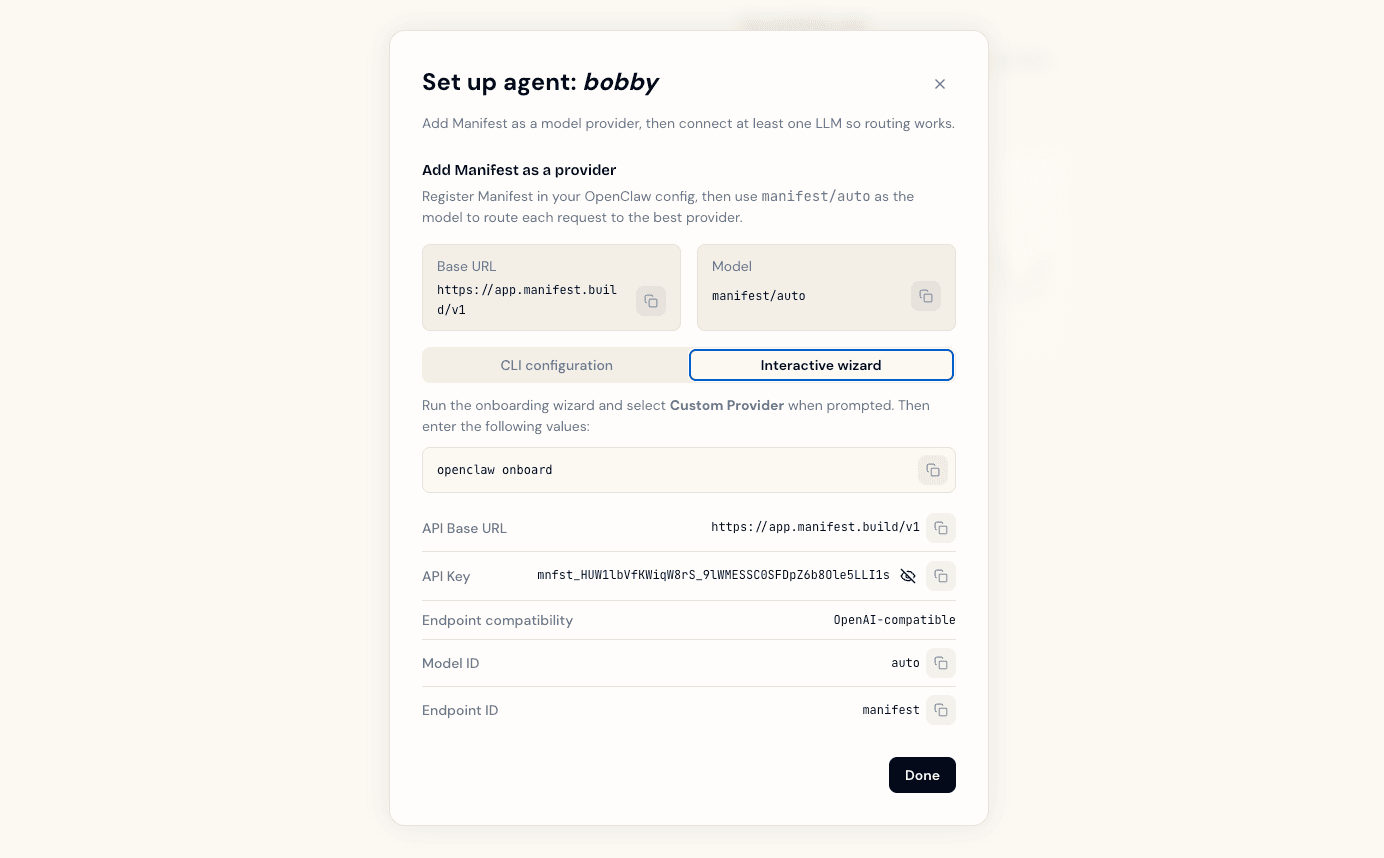
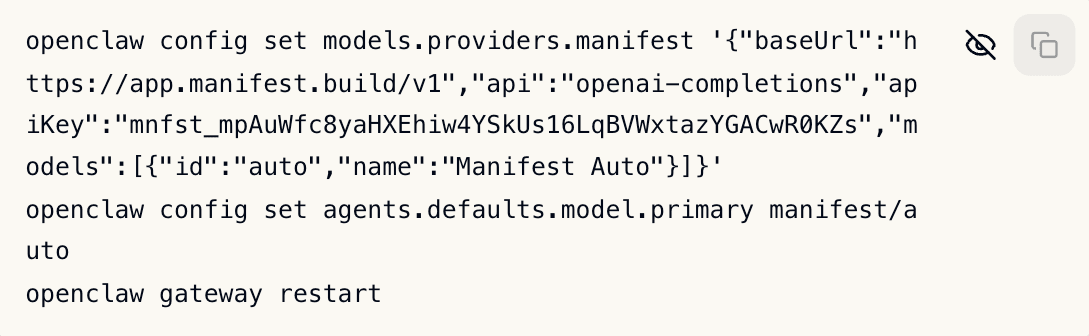
- A modal dialog displays your API key and shows you two ways to connect your agent. Pick the Interactive wizard tab if you prefer a guided flow, or the CLI configuration tab if you want to set it up quickly copy-pasting a raw command.
Option A: CLI commands
- Open your terminal.
- Copy the three commands from the dashboard and paste them.
Option B: Interactive wizard
- Open your terminal.
- Run
openclaw onboard. - Select Custom Provider when prompted.
- The dashboard displays the values you need. Enter them one by one:
- API Base URL:
https://app.manifest.build/v1 - API Key: your Manifest key
- Endpoint compatibility:
OpenAI-compatible - Model ID:
auto - Endpoint ID (optional):
manifest
- API Base URL:
Once your agent is set up, press Done. You will see a modal to connect an LLM provider.
Step 2: Connect providers
You can connect providers in two ways.
- Subscriptions: connect your Claude Max/Pro, ChatGPT Plus/Pro, GitHub Copilot, or MiniMax plan via OAuth
- API Keys: connect providers via API key. We support 11 providers including Anthropic, OpenAI, Z.AI, Mistral, and custom providers.
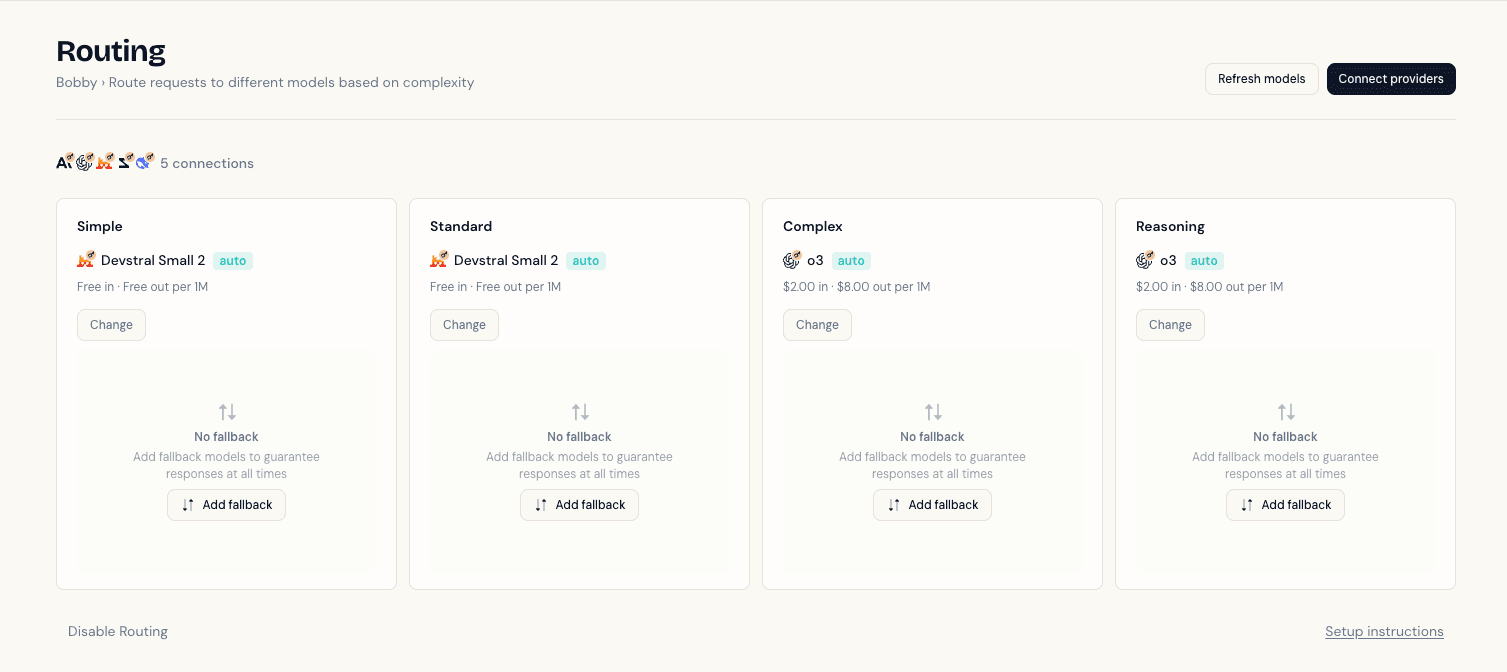
You can use both. Once you press Done, Manifest builds the most cost-effective routing for your connected providers, assigning models to four tiers: simple, standard, complex, and reasoning.
Step 3: You’re all set
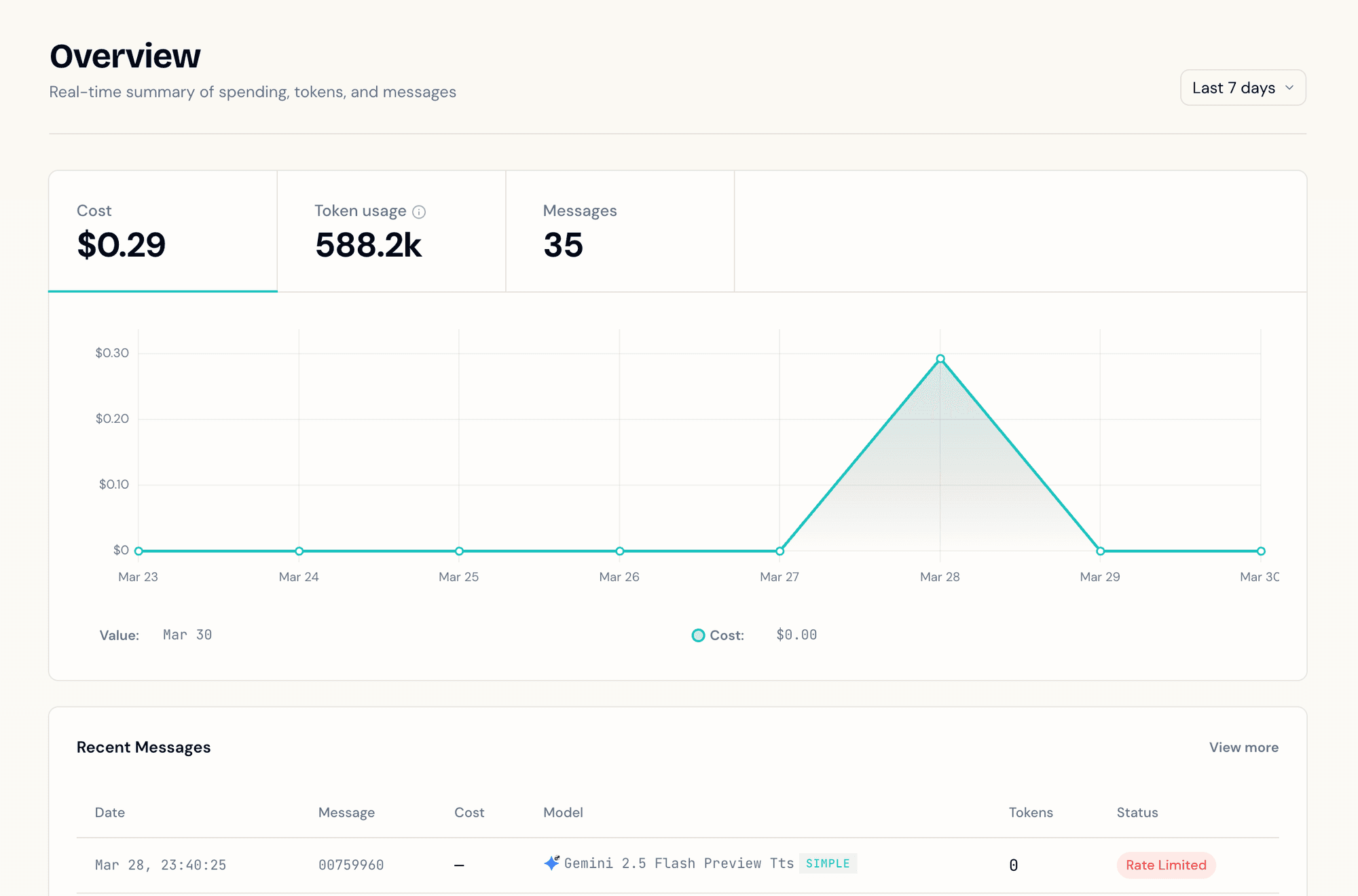
Use OpenClaw normally. Every request goes through manifest/auto and gets routed to the right model. Head to Overview in your dashboard to see routing in action: each message shows which model handled it and how much it cost.