Your failing requests now fix themselves
 The Manifest Team
3 min read
The Manifest Team
3 min read
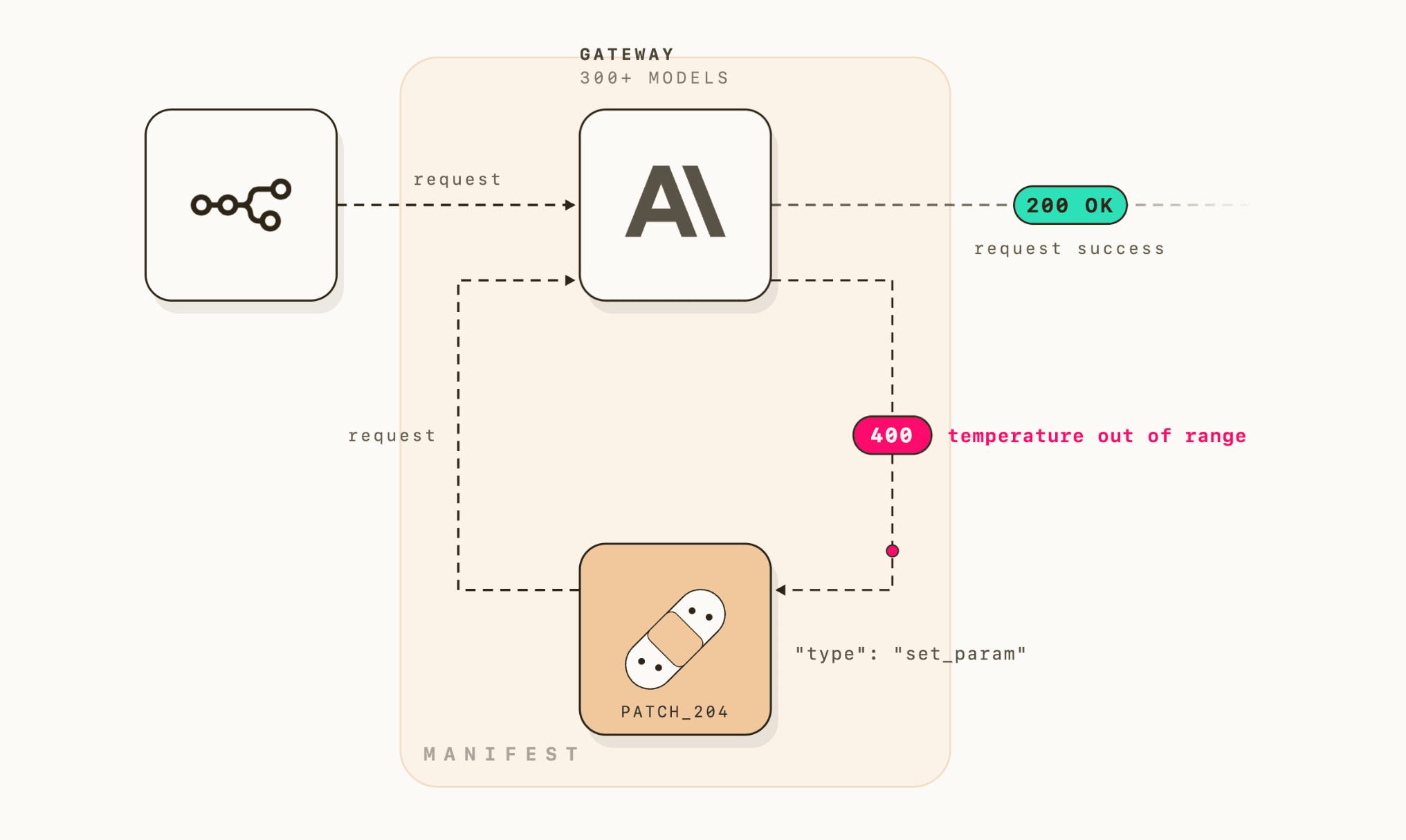
Autofix is live for every Manifest Cloud account. Free plan included. You have nothing to turn on.
Errors were eating your agents
Here’s a night we’ve all had. Your agent runs a long workflow, and at some point the provider renames a parameter: max_output_tokens becomes max_completion_tokens on the model you pinned months ago. The provider answers 400 and your agent dies mid-run. You find out in the morning, and the fix is a one-line rename the provider decided for you.
Deprecated models and unsupported fields kill agents the same way. Every one of these errors burns hours while nothing runs.
We got tired of watching that happen. Manifest now repairs these requests itself.

The dashboard now counts what matters
The Overview got rebuilt around one question: how are your requests doing? It shows how many ran, how many failed and how many were recovered. The same reading exists at both levels: global for your whole workspace, and one per agent.
The Requests log follows. You can filter by connection, recovery method or period. So you can easily see, for example, everything Autofix saved this month.
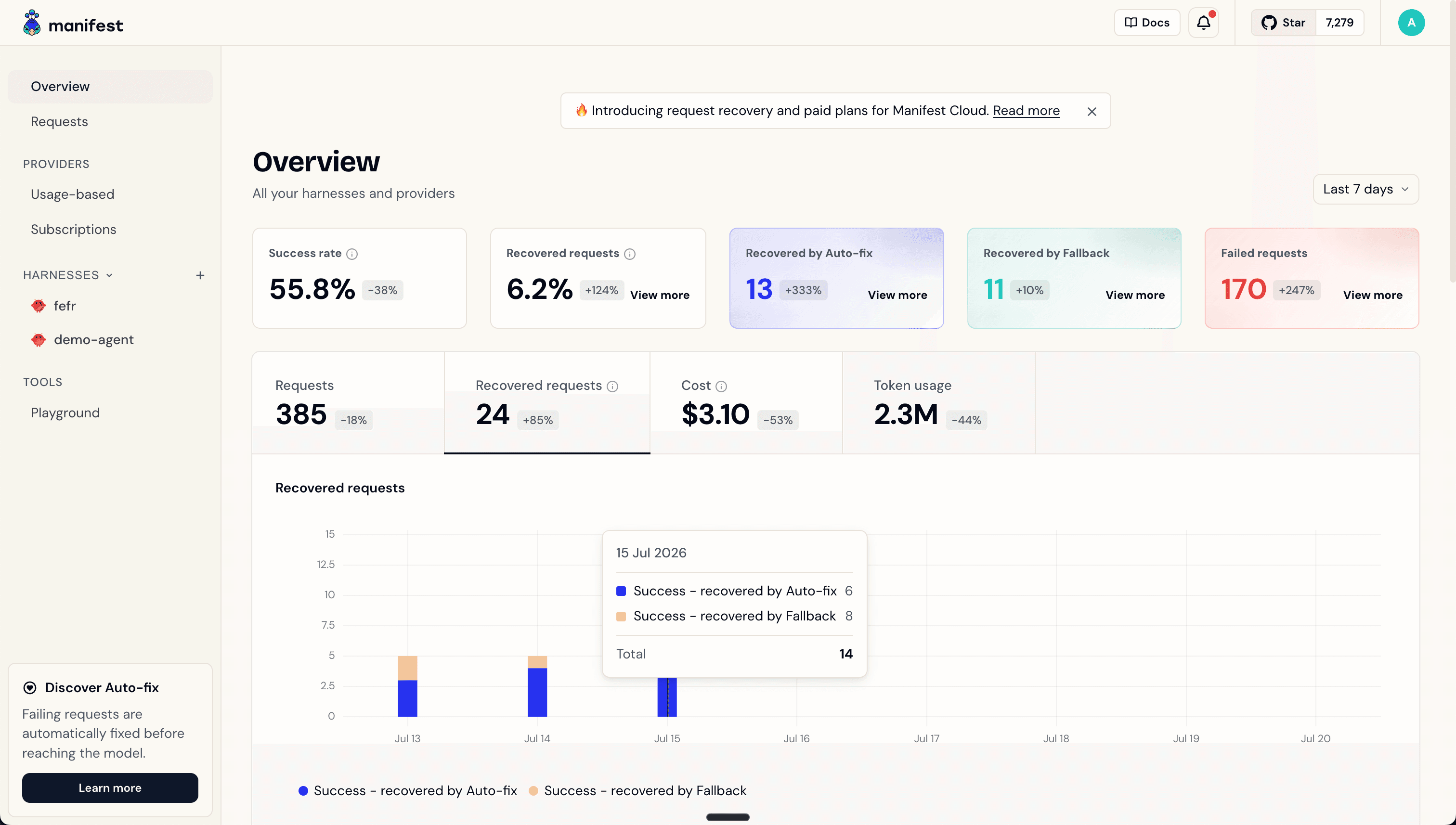
Messages become requests
Our gateway now logs requests. A request can hold one to several attempts, the actual calls sent to providers. When an attempt fails, the next one steps in.
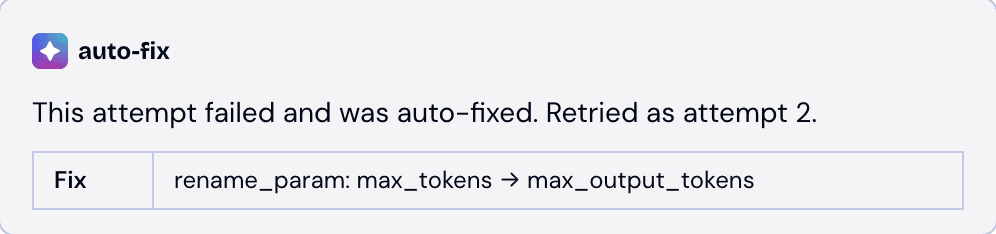
Each row shows one request. Click it to see every attempt related to it in detail: the error the provider returned and the exact change Autofix applied. So you can also repair the cause on your side, and that error never comes back.
How Autofix works
When a provider rejects a request with a fixable error, the router applies a patch and sends the request again. Each patch targets a known error and applies a known correction.
Today Autofix covers a first set of errors. That set grows with usage, as new errors come in.
Where Autofix runs
Autofix is available on Manifest Cloud, free plan included. The patches come from errors seen across cloud traffic.
Try it now
Autofix is on for every Manifest Cloud account. Free plan included. Open your dashboard and look at your Requests log: some repairs may already be there.