Route your LLM calls to the best model deal

Connect your subscriptions with your harness in seconds





- Subscription plans
- Bring your own key
- Custom providers
- Local models
Make the most of your AI subscriptions
Already paying for one or several AI subscriptions? Say no more. Manifest helps you to make the most of them by connecting them to any agent or harness. Back them up with pay-per-token APIs, local models or other subscriptions!
Take back control of your AI inference consumption in 3 easy steps
Plug your agents
Connect your autonomous agents, apps, coding assistants and any third-party harness to Manifest.
Connect your providers
Add your providers to get all available models and their costs. Works with all subscription-based or usage-based cloud providers (OpenAI-compatible or Anthropic-compatible endpoint) and local models.
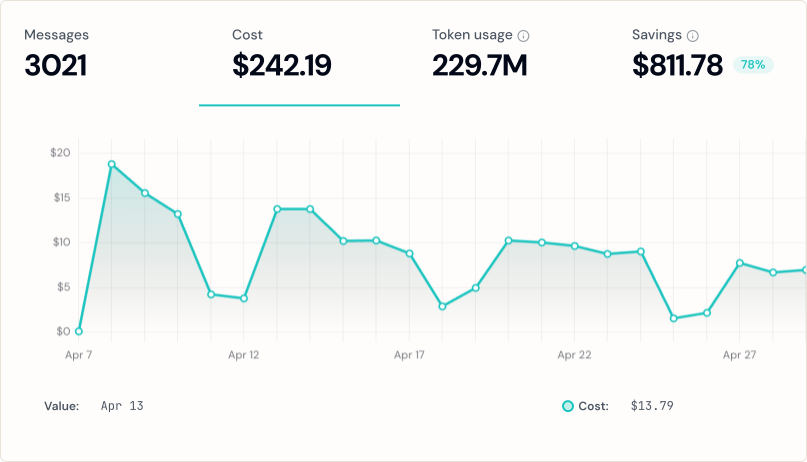
Route and control
Define routing rules, set up the right model and provider for each query. Add fallbacks and limits and visualize each dollar spent in real time.
Don't get locked into a single provider
Simultaneously use different kinds of model or inference providers based on the query. Manifest does not limit you to a restricted list of providers.





API key providers
Bring your own key from all the main providers to get instant access to all their models. Pay by the usage directly to the provider.
Subscription providers
Already paying for a monthly subscription? Connect it to Manifest to use those quotas first, fallback to pay-as-you-go only when limits are exceeded.
Custom providers
Plug in any OpenAI-compatible or Anthropic-compatible provider that exists out there! We don't limit you to the providers that we know only.
Local models
Run open-weight models at home! Manifest handles Ollama, LM Studio and llama.cpp as first-class providers so you can run them on your own infrastructure.
Built for every agent, every workflow, every AI application
Personal agents like OpenClaw or Hermes are known to produce surprisingly high AI bills. Any automation can potentially drain your whole budget. Use Manifest to reduce those costs.
- Connect your personal subscriptions
- Set up budget limits and notifications
- Use our curated free model list



Without Manifest, optimizing inference efficiency for AI apps can be incredibly difficult. That's why builders often skip it and end up spending more than they should. Manifest is here to help.
- Use our curated free model list
- Set up fallback models and providers
- Choose the right model beforehand


Don't let those AI workflows burn all your budget! Manifest seamlessly integrates with all major AI workflows on the market so you can use your favorite providers and plans with them.
- Replay past queries to optimize them
- Use our curated free model list
- Route to the best model


Don't let coding tools lock you into their providers' models. Use your favorite tools, now with your favorite models. Take back control of your code.
- Choose your coding models
- Visualize consumption
- Plug in your local models



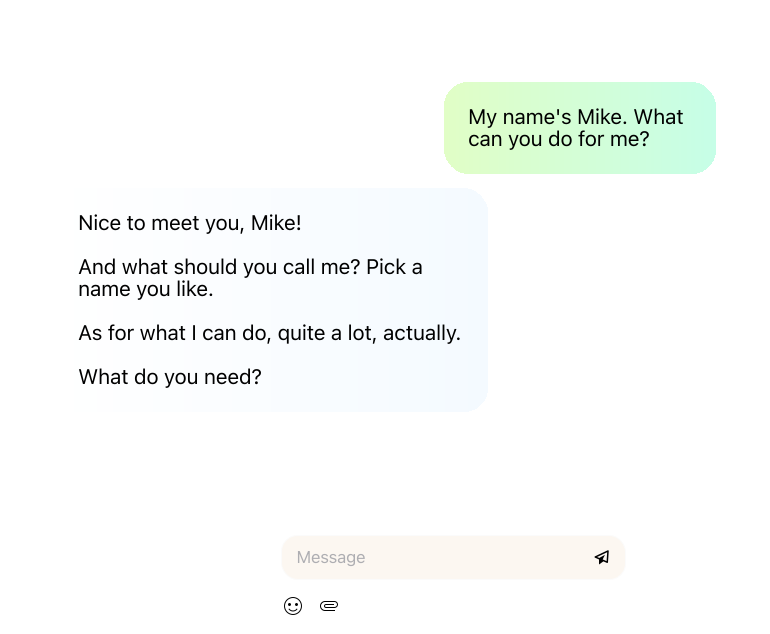
A complete LLM Gateway for your agents
Model fallbacks
Automatically retry on another provider when one goes down.
Full body logs
Inspect the complete request and response body for every call.
Autofix
Broken requests get repaired on the fly, before your agent sees the error.
Self-host
Run the whole LLM router on your infrastructure or your machine. Free and open source.
Local models
Route to Ollama, LM Studio, llama.cpp or any local server. Decide what goes to the cloud and what stays on your machine.
Subscription providers
Use the AI plans you already pay for, then fall back to pay-per-token.
Bring your own key
Bring your own keys for every provider and pay usage directly. Manifest allows API keys from all popular providers and OAuth tokens for subscriptions.
Easy parameter setup
Set the right model and parameters per route without touching the code. Set AI model parameters visually.
Limits
Rate limits and hard caps per key, so nothing surprises you.
Cost visualization
See every dollar spent, broken down by agent, key and provider.
Stop overpaying for LLM requests.
Frequently asked questions
Which LLM providers and models does Manifest support?
Manifest supports all major LLM providers out-of-the-box, including OpenAI, Anthropic, MiniMax, DeepSeek, Mistral and so on.
You can also connect any provider that has an OpenAI-compatible API. The self-hosted version allows you to run local models too (Ollama, Llama.cpp, LM Studio).
Can I use my pro subscription with Manifest?
Yes, Manifest lets you connect your subscription to make the most of it. As subscriptions often have lower API rate limits, we recommend adding fallback models to complete requests when the subscription model fails.
Manifest provides an easy way to connect popular subscriptions like Anthropic, GitHub Copilot, MiniMax, Ollama Cloud, OpenAI, OpenCode Go and Z.ai.
Do I need to pay to use Manifest?
Not if you self-host: the gateway is open source and free, with no request limit. You connect your own API keys from supported providers (BYOK) and start routing your requests.
Manifest Cloud, where we host it for you, is $19 a month with no request quota.
How does routing work?
Manifest allows you to create routing tiers and assign models to them. Custom routing lets you define HTTP headers that route requests to a certain model or provider. Default routing allows you to set a primary model and fallback models for each tier, and route requests based on their success or failure.
Complexity and specificity routing uses a rule-based algorithm to analyze the content of the request and route it to the most suitable tier.
Can I use Manifest with free models?
Yes. We support free models from OpenRouter and other providers. You can mix free and paid models in your routing. Simple tasks go to free models, complex ones go to paid ones.
What happens if my primary model fails?
You can add up to 5 fallback models per tier. If a provider returns an error or times out, the request goes to the next model in the chain. Your agent keeps working.
Do I need to adapt my agent setup?
Manifest is a drop-in replacement for OpenAI's API. You just need to change the endpoint to the Manifest URL.
We provide tutorials for SDKs like Anthropic's SDK, OpenAI's SDK, or the Vercel AI SDK, as well as agents like OpenClaw and Hermes, and coding assistants like Claude Code.
What's the difference between cloud and self-hosted?
The cloud version is hosted on our servers, and the self-hosted version runs on your machine or your infrastructure.
Self-hosting is free under the MIT licence, ships as a Docker image, has no request limit and can route to local models. The cloud version takes about two minutes to set up and we run the infrastructure for you.