Request logs are back
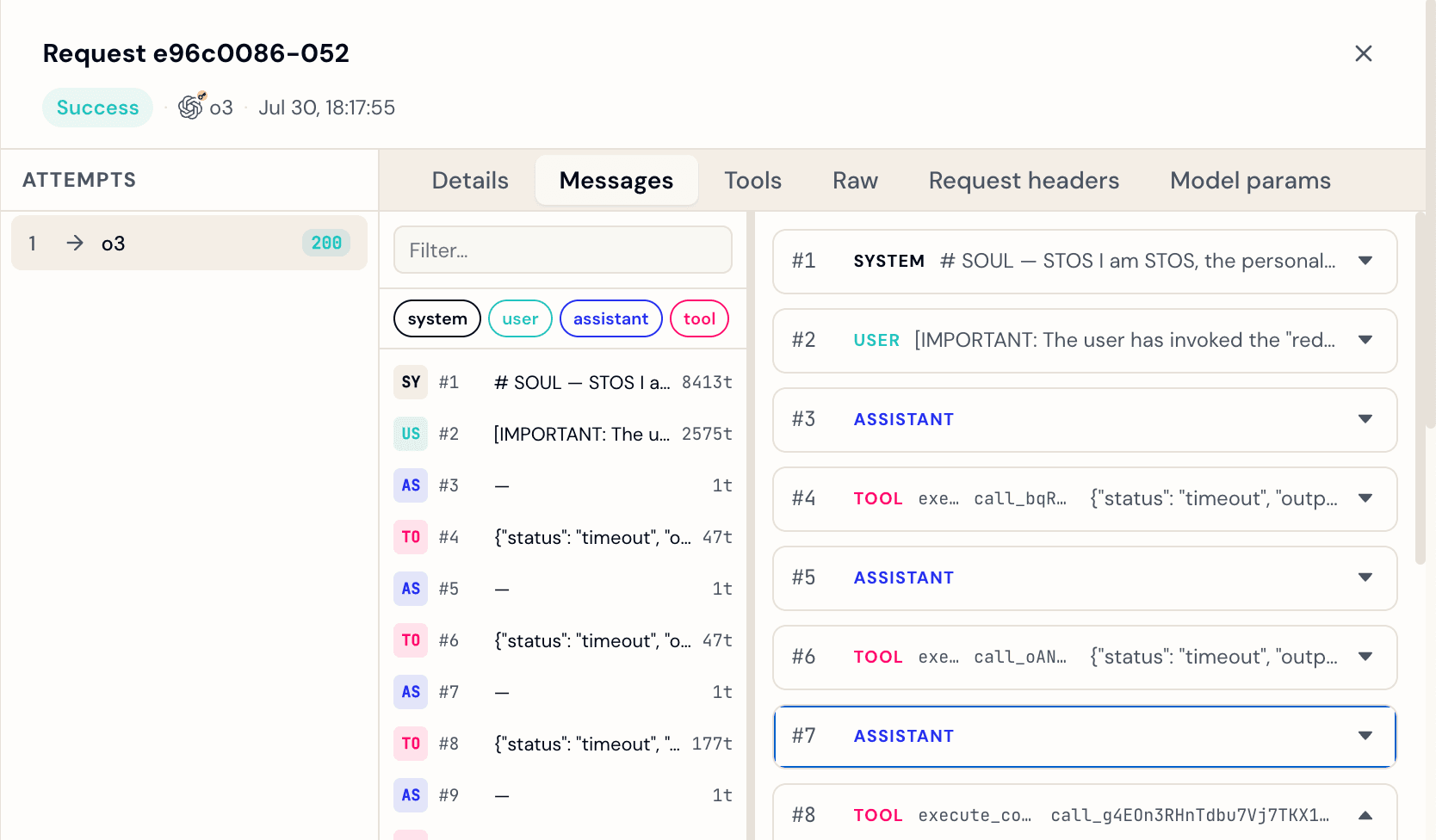
When something goes wrong with an agent request, the first question is always the same: what did it actually send? Manifest routes requests across providers, applies fallbacks, and sometimes patches and retries. By the time a request fails, several things may have happened. Without seeing the raw payloads, you are guessing.
Request logs give you the full picture. They are back today, off by default, and built differently than before.
Requests and attempts
Before getting into what you can see, it helps to understand how Manifest structures data.
A request is one logical call from your agent to Manifest. A request can produce multiple attempts: each time Manifest forwards that call to a provider, that is a separate attempt. If the first provider fails and Manifest falls back to a second one, you get two attempts under the same request. If Autofix patches and retries, that is another attempt.
Request logs record at the attempt level. You can see exactly what was sent and received on each individual provider call, not just the final outcome.
What you can see
Open any request in the Manifest dashboard and click through to its attempts. Each attempt with recording enabled shows three tabs.
Messages displays the full conversation as it was sent: every turn, every role (system, user, assistant, tool), in order. If the assistant called a tool, you see the call and the tool response. If the request had multiple turns of context, all of them are here.
Tools breaks down tool usage in two sections: which tools were called during that attempt, with their arguments, and which tools were available in the request. This makes it easy to spot mismatches between what the agent offered and what the model actually used.
Raw shows the full request and response payloads as JSON. Useful when you need to verify headers, model parameters, or anything not surfaced in the other tabs.
How to turn it on
Go to your agent, open the Settings tab, and toggle on request logs.
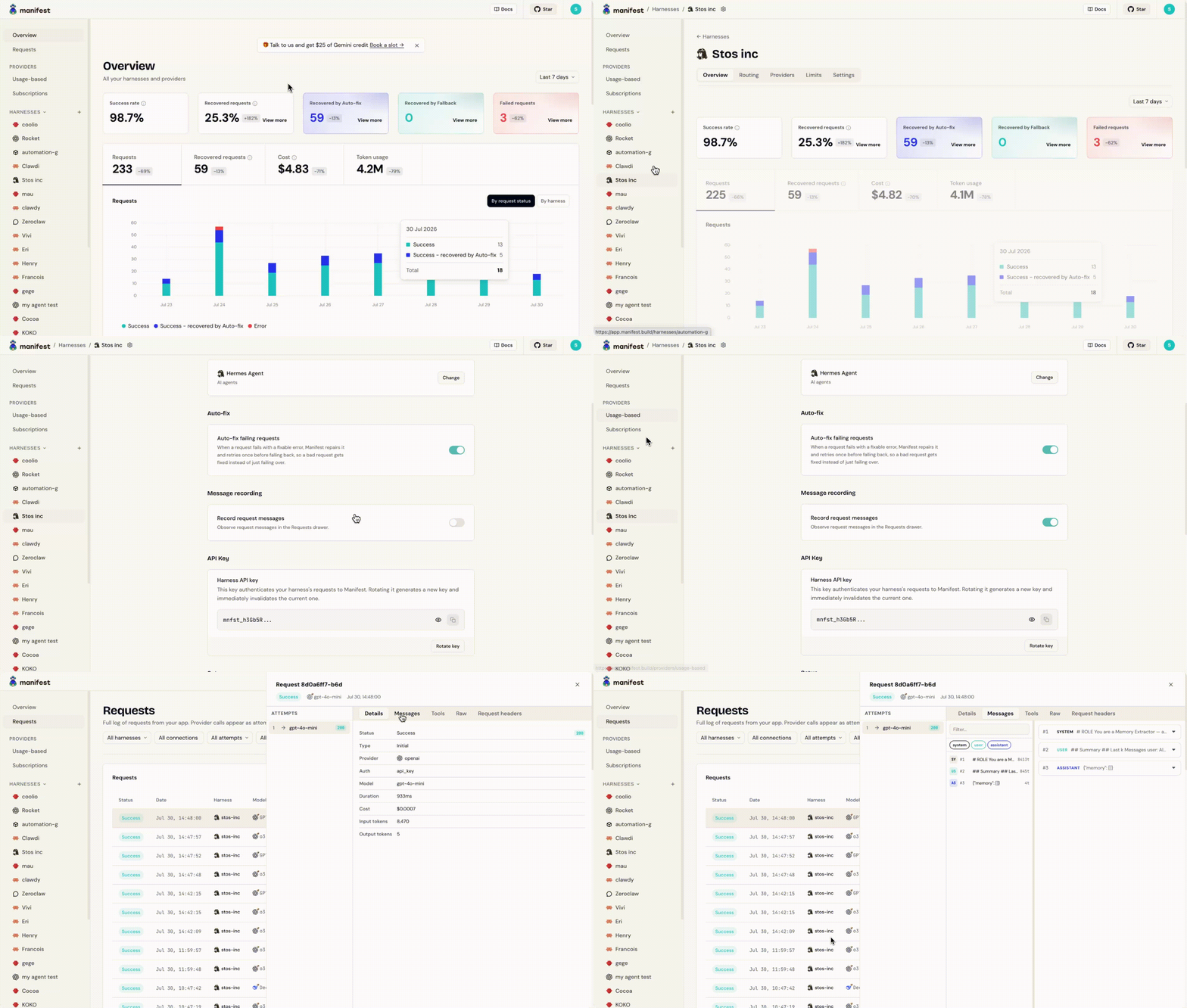
Recording starts immediately for new requests. Existing requests are not backfilled.
If you run multiple agents, you enable recording per agent. An agent you use for production traffic and another you use for testing can have different settings.
Activate it now: app.manifest.build